
Understand in context
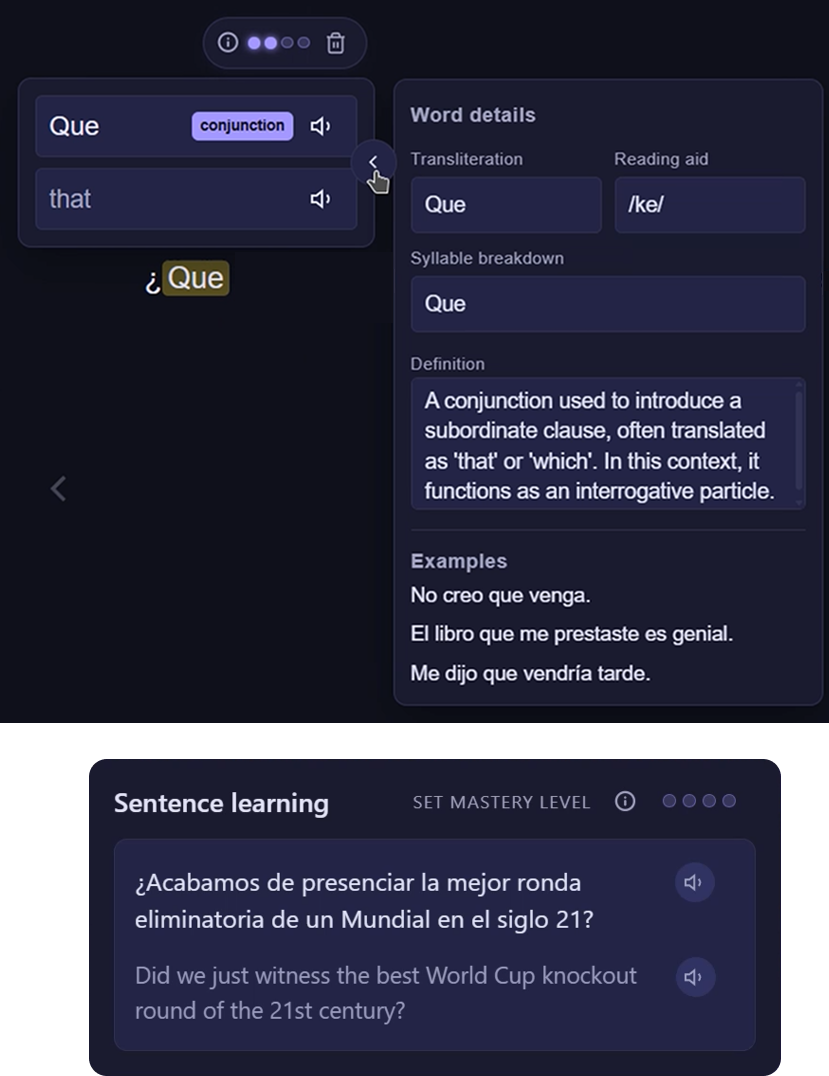
See the translation, pronunciation, reading aid, breakdown, and examples for the exact word you chose.
Your content. Your language. One learning system.
Learn from the videos you watch, the stories you read, and the websites you already visit. LingoNova keeps every word, sentence, and review connected.
The shared learning layer
Whether you click in the Webreader or over a subtitle, LingoNova gives you the same focused word and sentence tools without breaking your flow.
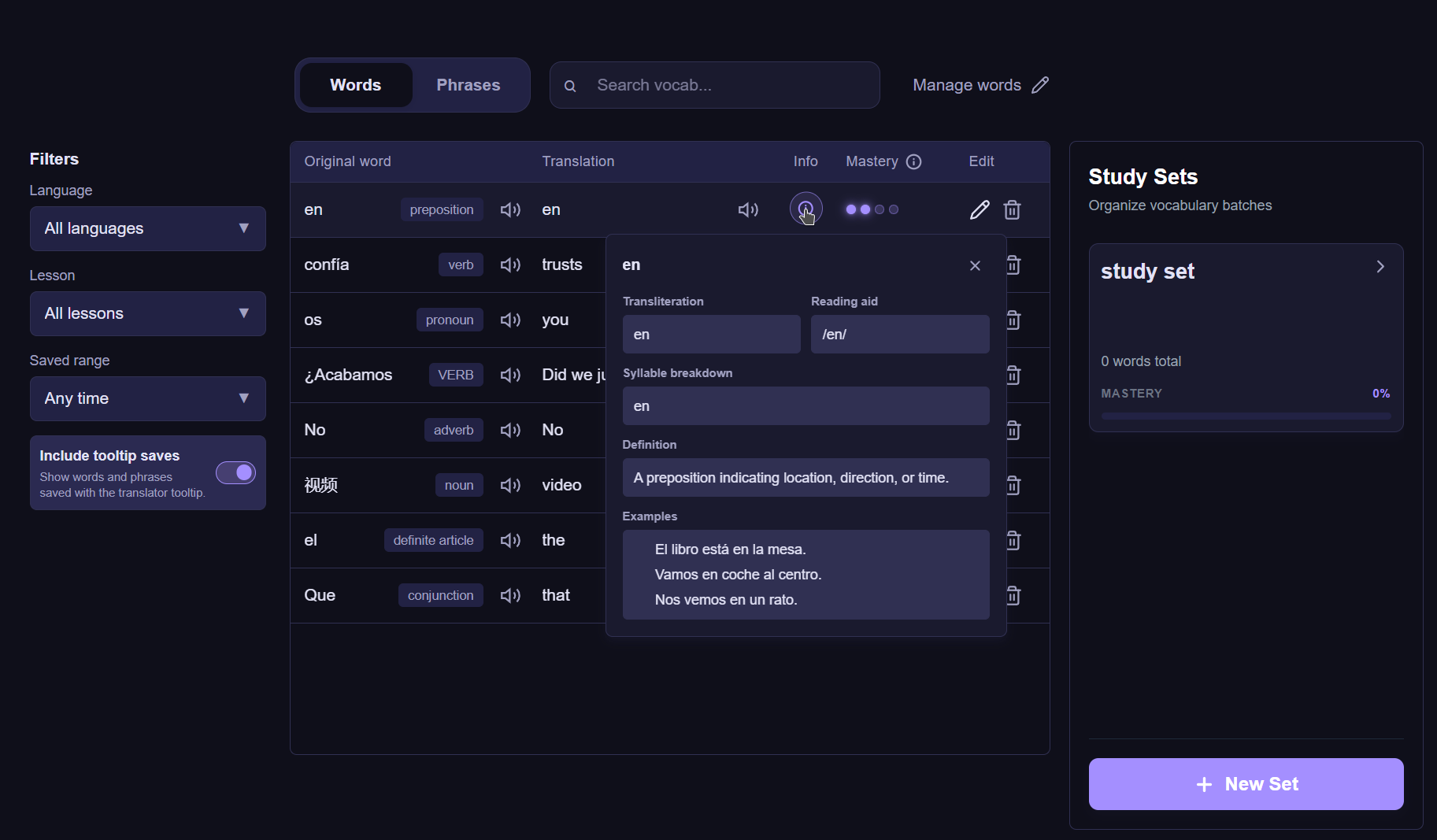
See the translation, pronunciation, reading aid, breakdown, and examples for the exact word you chose.
Set a mastery level when a word or sentence matters. LingoNova keeps the source lesson attached.
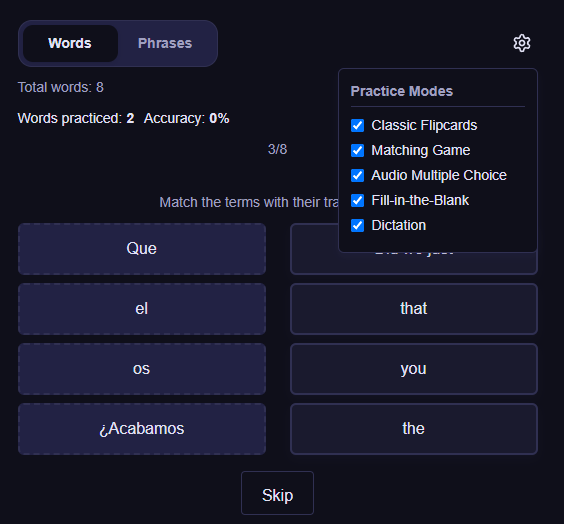
Practice saved vocabulary with varied review modes instead of rebuilding flashcards by hand.
Build your learning home
The website turns material into structured lessons and keeps your library, vocabulary, and practice in one calm workspace.
Sentence mode is ideal for newer learners who frequently need to hear pronunciation while following the text.
 Flowing reader
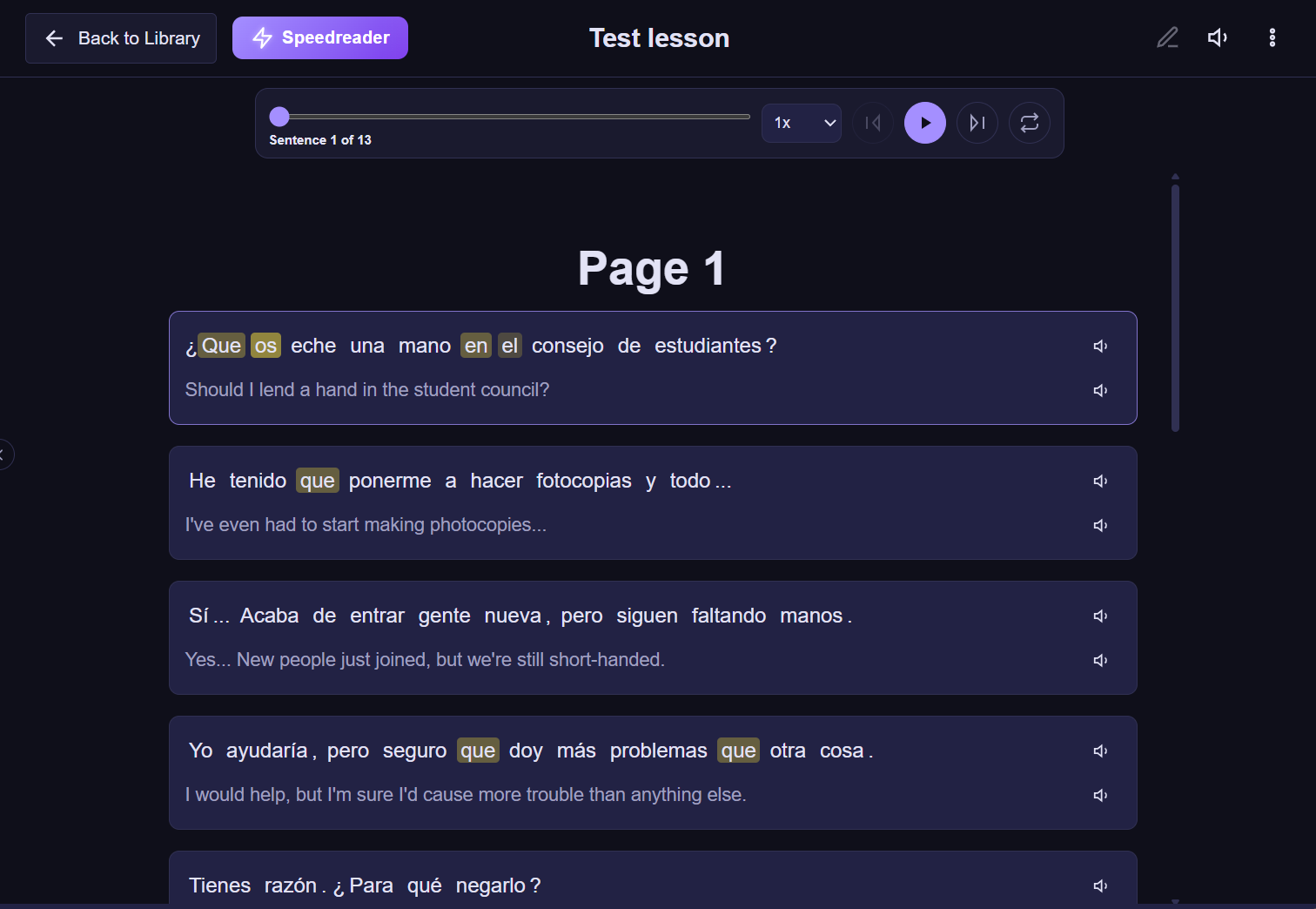 Sentence mode
Create a structured text lesson from scratch or upload a PDF, choose its language and level, then organize it in your library.
 Create text lesson
 Generate lesson from PDFs
Filter saved words by language and lesson, inspect their details, organize study sets, and see mastery instead of losing useful words in a list.
Review words and phrases using flashcards, matching, audio multiple choice, fill-in-the-blank, and dictation.
The Speedreader trains readers to take in word chunks at a glance instead of sounding out every letter. It is especially useful for slower readers who have already mastered the lesson vocabulary.
Learn where the content lives
The extension works over the content already in your browser, then sends what you save back to the same LingoNova library.
Scan comics or webcomics, translate speech bubbles into any supported language, and click a bubble to hear its sentence or see the meaning of individual words.
Turn a page with text into something you can study, make its words and sentences interactive, and exclude irrelevant text.
Hold your chosen trigger over selected text for a compact translation tooltip. Listen in either language and save only what is worth learning.
Review your saved vocabulary in a compact practice window while you browse the web, so a quick study session never requires returning to the website.
Translated sentences from web text lessons and translated comic pages can also be read in the website reader. This is especially useful for revising what you studied without reopening the original comic or page.
See target and native subtitles together, follow the transcript around the current timestamp, jump back to a line, and click words directly in the subtitle overlay.
If a video has at least one usable subtitle track, translate a selected batch into any supported language. The highlighted transcript range shows exactly what will be translated.
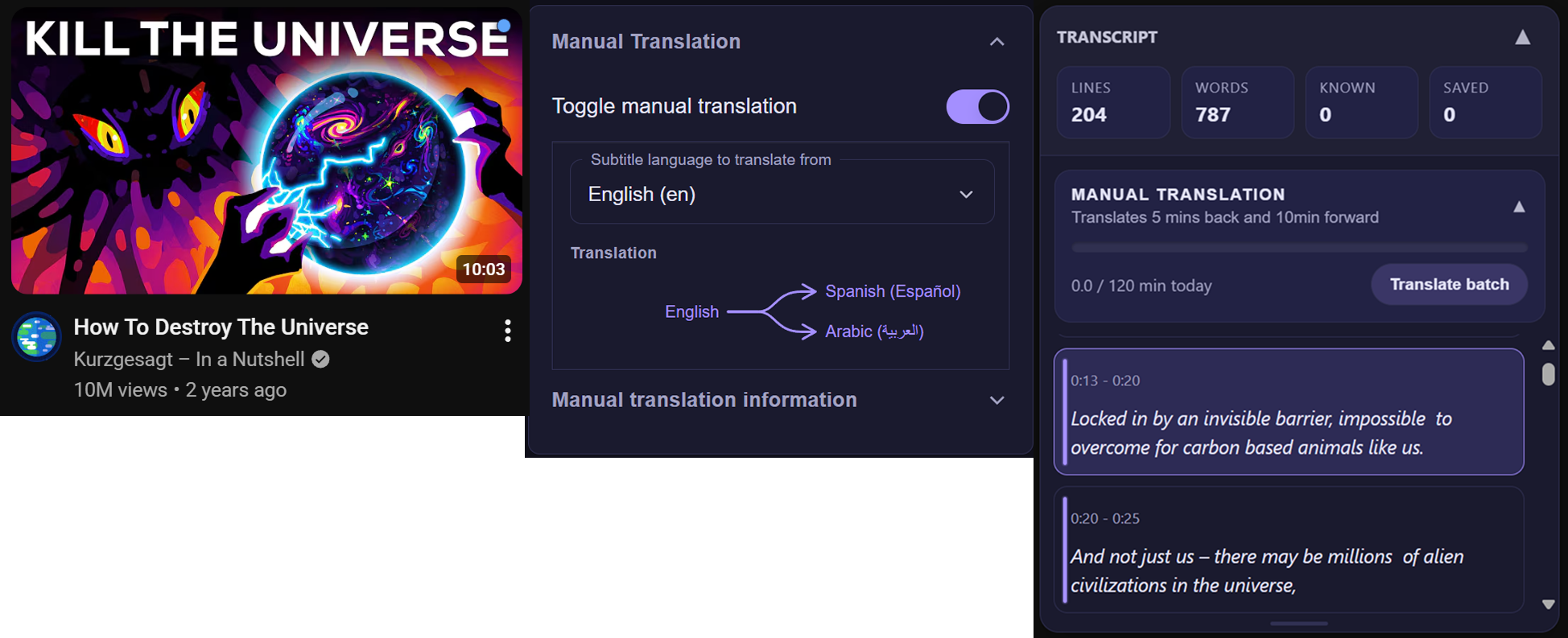
Subtitle cues appear on regular YouTube thumbnails so you can spot useful videos while browsing.

 Learning popups
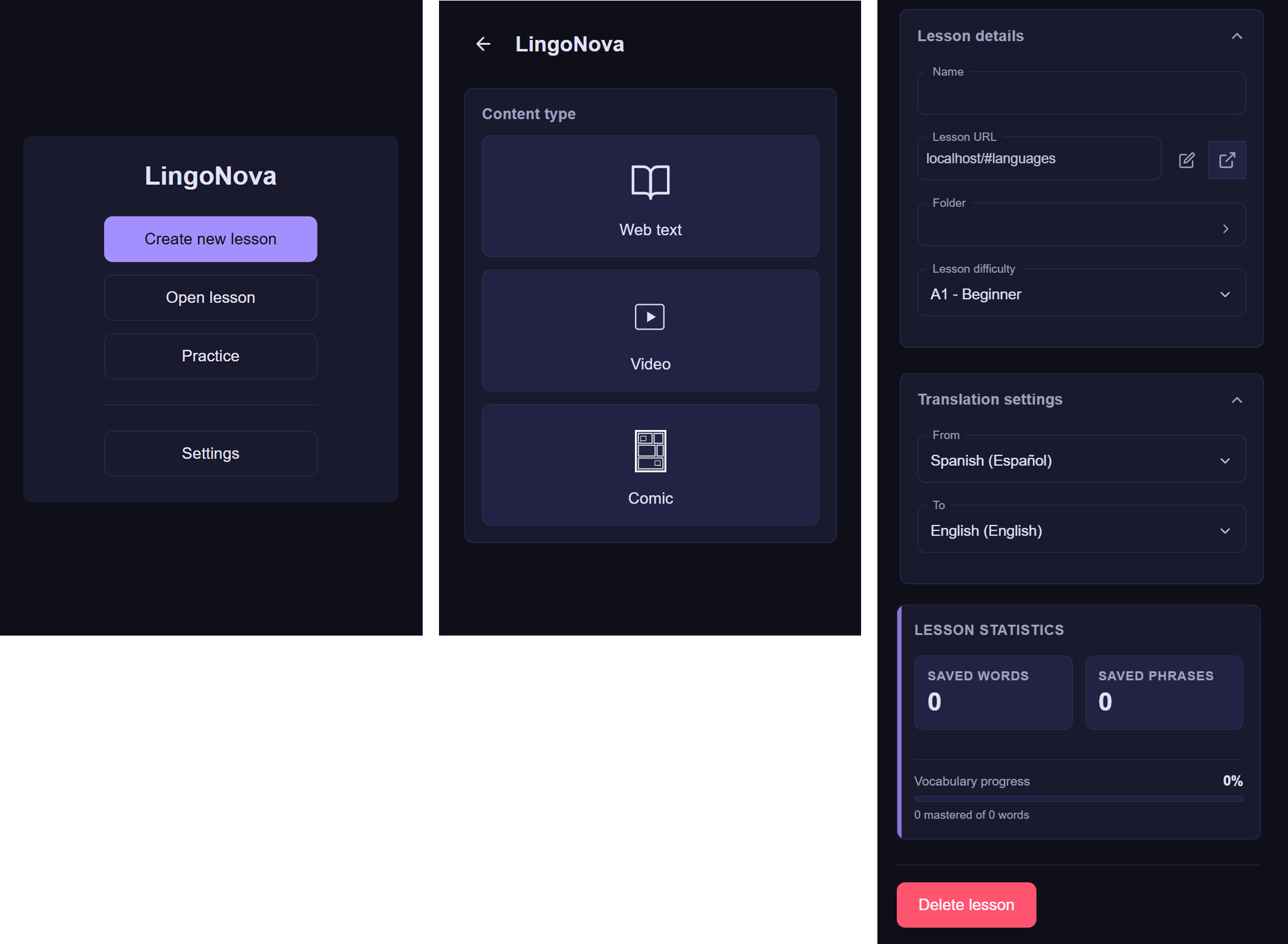 Lesson setup
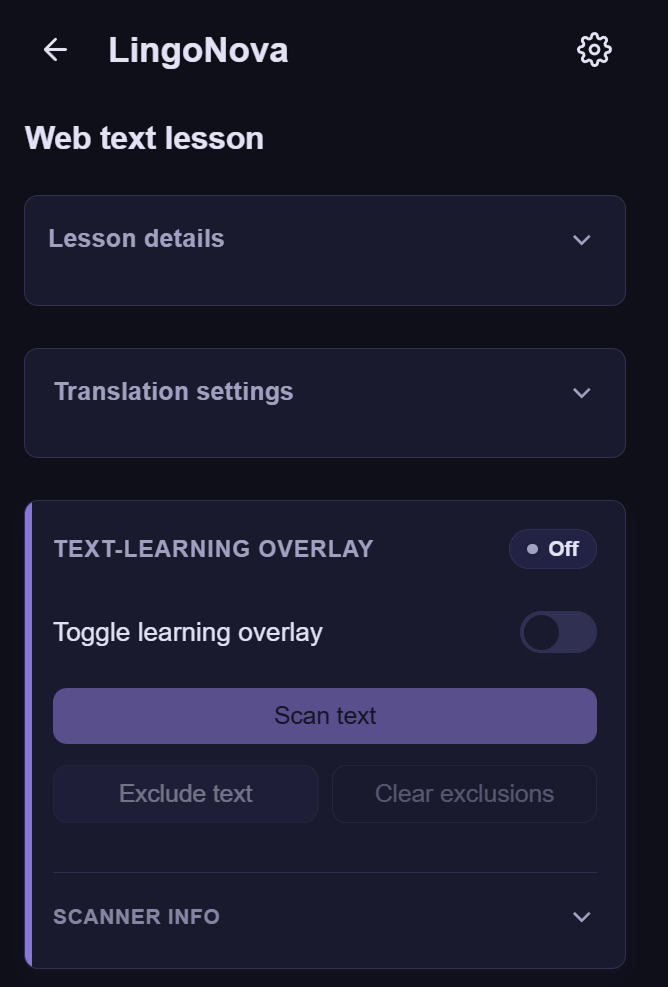 Interactive web text
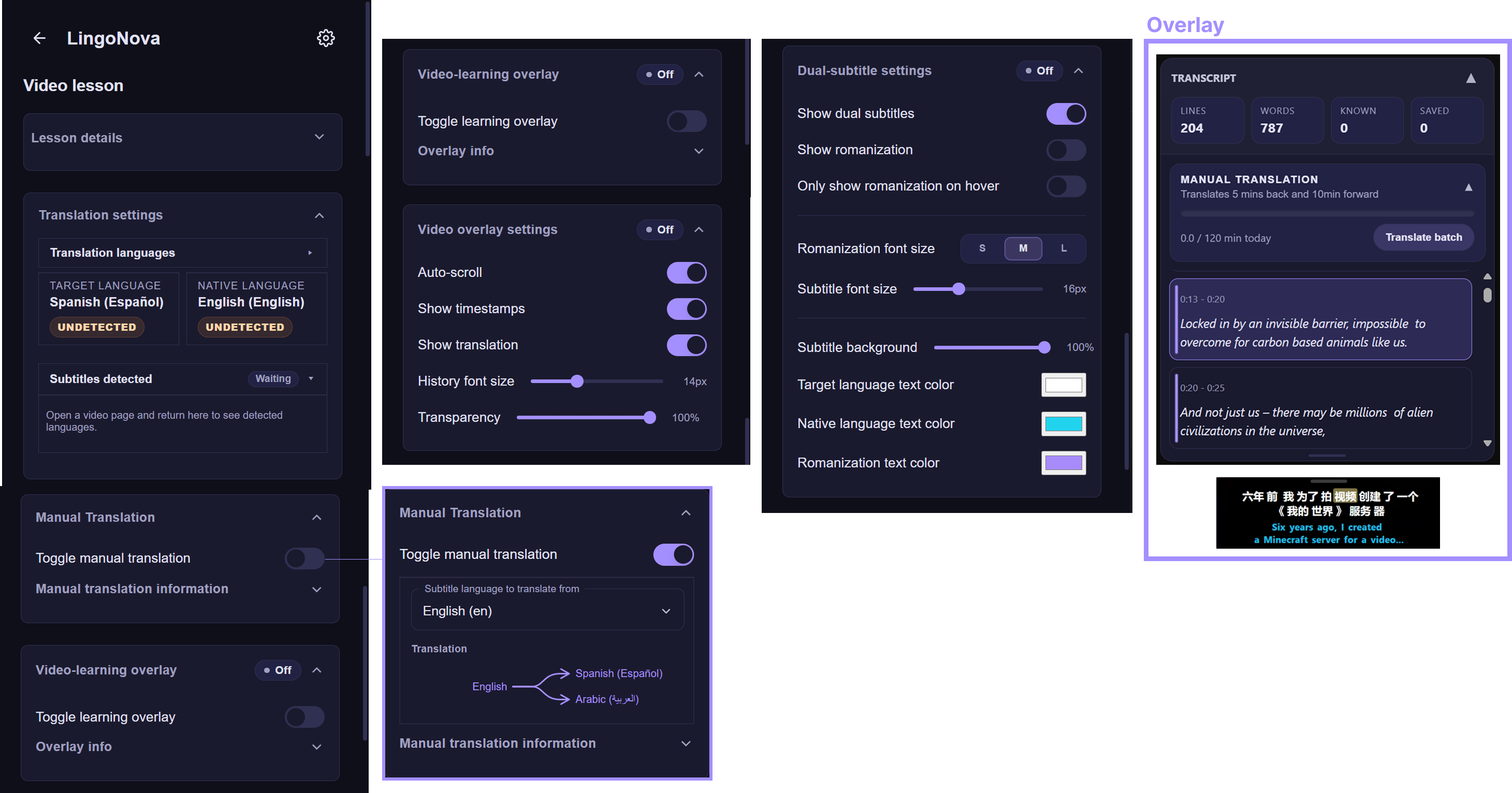 Video learning
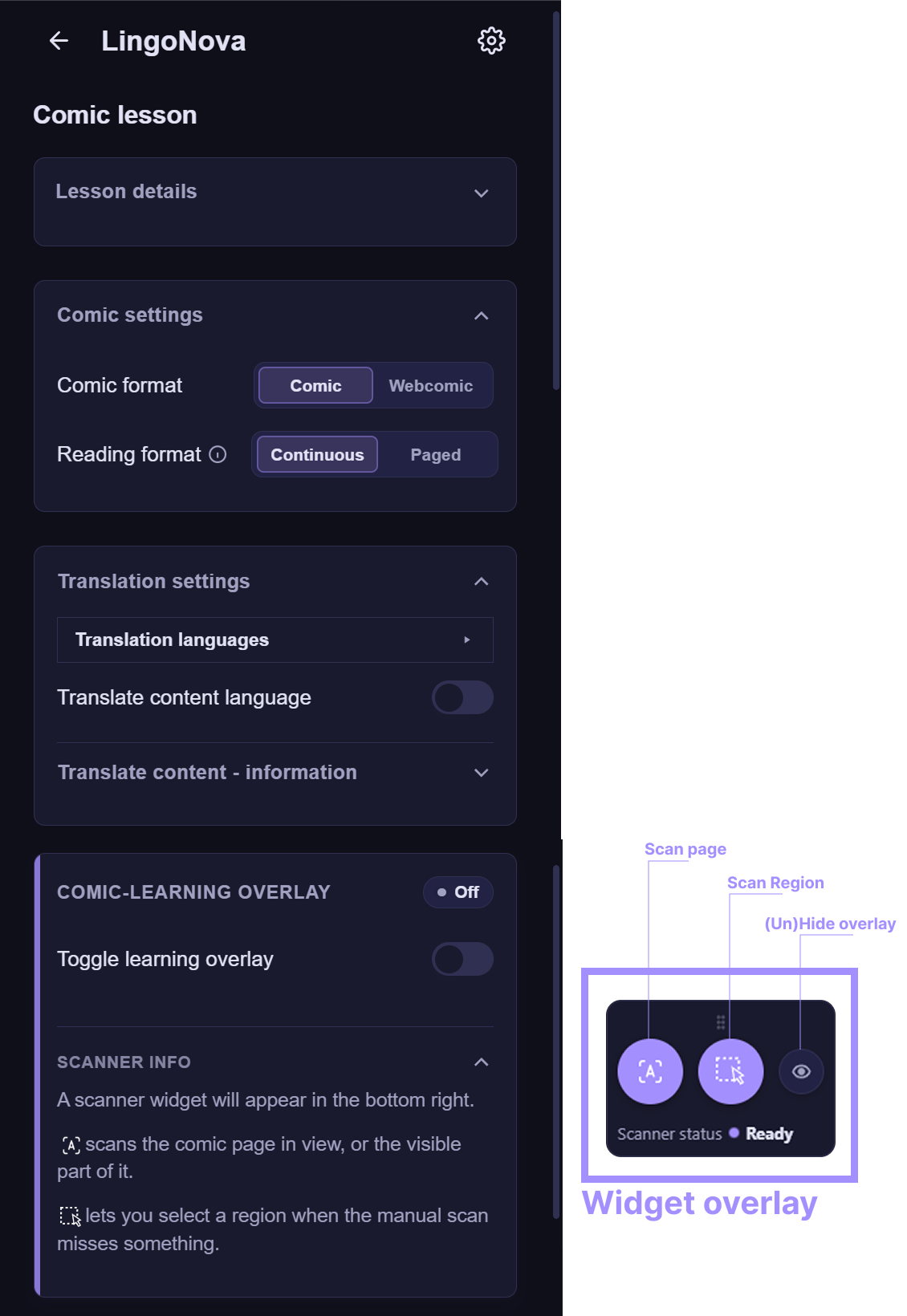 Comic learning
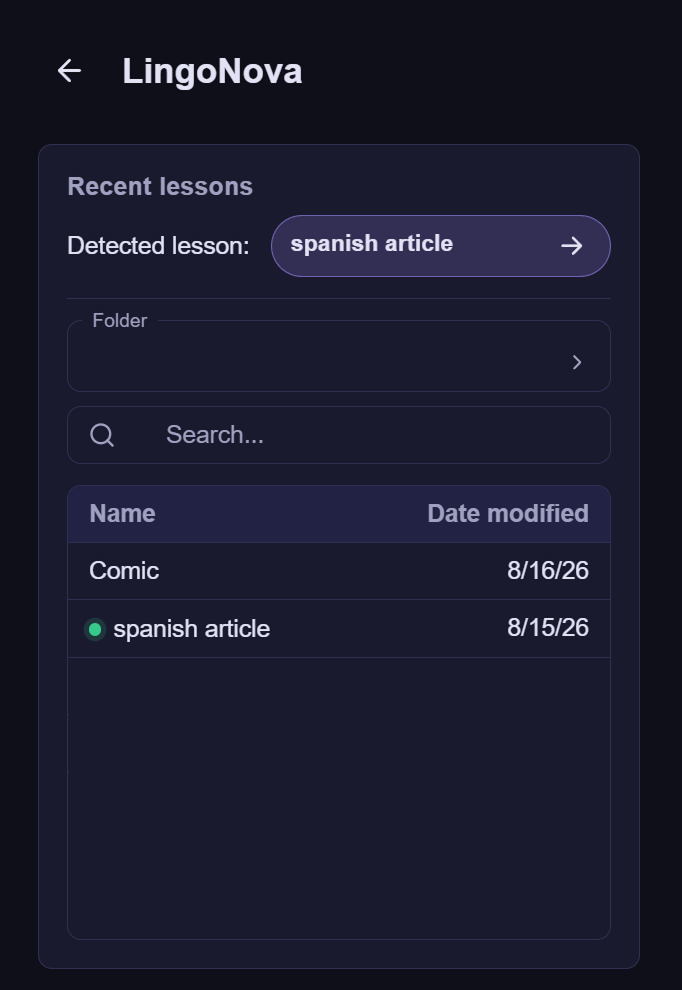 Load lessons
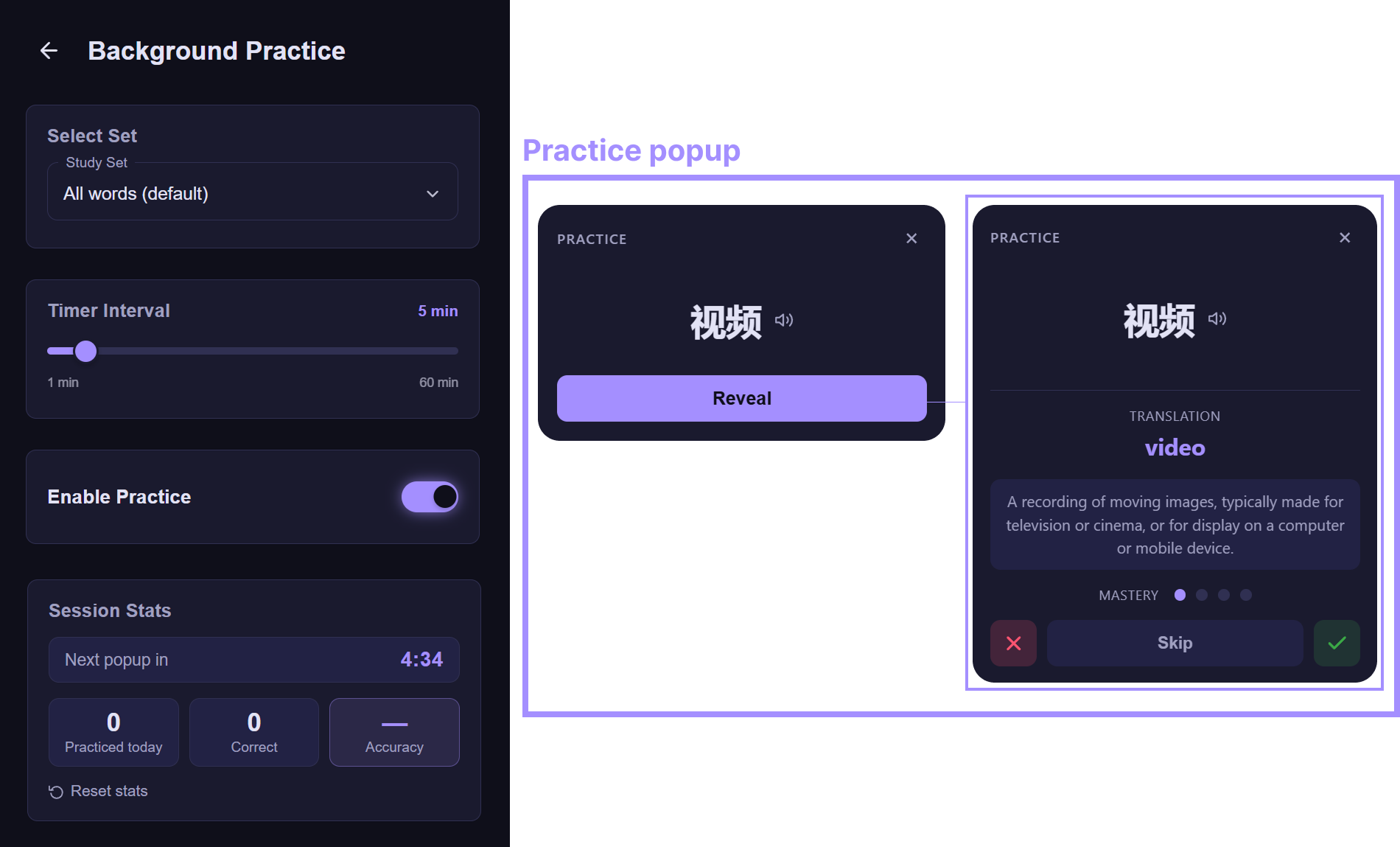 Practice anywhere
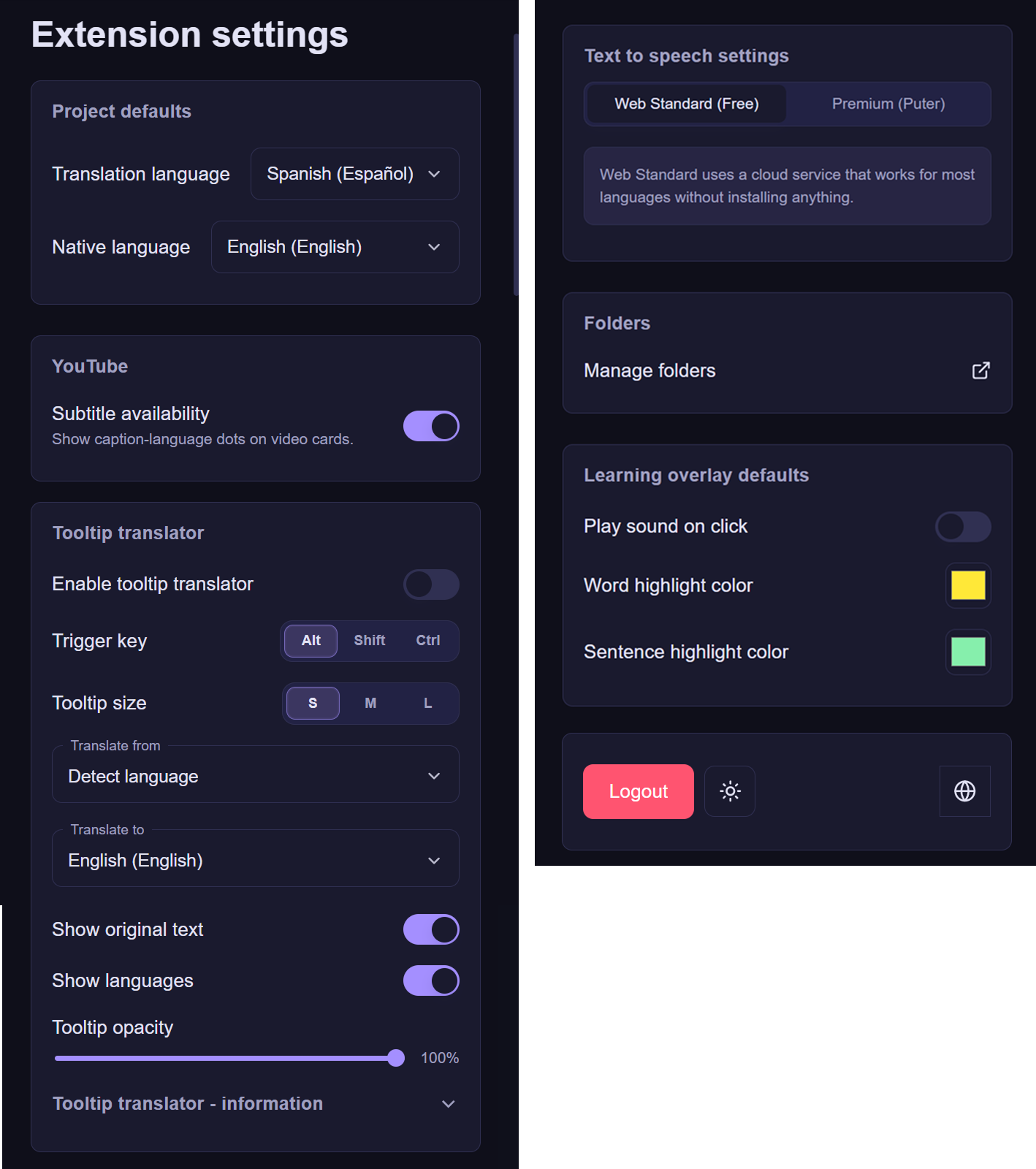 Extension settings
A wider language horizon
Choose your target and native languages once. The same pairing follows you across lessons, vocabulary, practice, and extension projects.
No matching language found.
Simple pricing
Create lessons and learn with the extension for free. Premium removes usage limits and unlocks advanced translation tools.
Free
For getting started across the website and extensionPremium
For learning from anything, anywhereGet full access to LingoNova free for 7 days, then
Loading current price...
Start your free trialQuestions, answered
Start free on the website and extension, then upgrade when you want unlimited use and advanced translation tools.
Start learning →The website is your learning library, reader, vocabulary hub, and practice space. The extension adds learning tools directly to supported web pages, comics, and videos. Saved vocabulary and lesson progress stay connected to your account.
On the website you can create text lessons or upload PDFs. With the extension you can build projects from web text, comics and webcomics, and videos with available subtitle tracks.
LingoNova's current language list includes more than 55 languages, spanning Latin, Cyrillic, Arabic, Indic, and East Asian writing systems. Reading aids and romanization are available where the writing system benefits from them.
Free accounts can create lessons, scan comics, use the learning overlays, translate uncached words and phrases, practice vocabulary, and revisit saved lessons within the displayed allowances.
No. When a target or native subtitle track is missing, manual translation works in controlled batches. This keeps the process intentional and avoids translating an entire long video without your request.
The extension is built for Chromium-based browsers. Availability of individual features can still depend on what a website exposes to browser extensions.
Your next lesson is already open